

Every platform on my list of the best AI website builders looks impressive during a 60-second sales demo. The headaches start in Month 13 when introductory rates jump by 200% to 450%, monthly AI edit credits run dry, and support tells you that you cannot move your site files to another host [1][8][9].
I spent six weeks building the exact same local service website across 15 platforms to see what survives past launch day. Most software roundups only grade the first draft and ignore renewal bills, mobile load speed, and platform lock-in. You deserve to know what happens after you connect your custom domain and invest 20 hours into your pages.
Below, you will see the 9 builders that passed my tests, separated by whether you want full WordPress ownership, a hands-off drag-and-drop editor, or a vibe coding app generator.
Top picks at a glance
Short on time? Use these five category winners to jump straight to the platform that fits your budget and ownership rules.
| Platform | Best for | Starting & renewal price | Site portability | Review |
|---|---|---|---|---|
| 1. Bluehost WordPress AI Builder | Full site ownership & long-term SEO | $1.99 to $3.99/mo (renews $8.99 to $9.99/mo) [1][2] | 100% exportable WordPress files | Read review |
| 2. Wix (Wix Harmony) | Local businesses needing bookings | $17/mo Light, $29/mo Core billed yearly [6] | Locked SaaS CMS | Read review |
| 3. Hostinger AI Website Builder | Fastest budget non-WordPress setup | $1.99/mo for 48 mos (renews $10.99/mo) [8] | Locked SaaS CMS | Read review |
| 4. Squarespace (Blueprint AI) | Polished portfolios & consultants | $19/mo Basic, $29/mo Core billed yearly [9] | XML text export only | Read review |
| 5. Lovable | Custom web apps & interactive MVPs | $25/mo Pro (100 monthly credits) [10] | Full React & GitHub code sync | Read review |
How I picked and tested these AI website builders
Between September and November 2026, I tested 15 AI site generators and cut 6 tools that produced broken mobile menus or locked custom domain connections behind $30+ monthly tiers. I fed every platform the exact same 65-word prompt for an Austin air-duct and HVAC service company requiring a homepage, a three-tier pricing table, a quote request form, and five FAQs.
I timed both the automated AI draft and the manual cleanup needed to replace fake stock reviews, fix mobile spacing, and connect a domain. Each tool earned a weighted score across five areas, which included 3-year total cost (25%), site portability and ownership (25%), mobile Core Web Vitals and WCAG 2.2 accessibility errors (20%), editing ease (20%), and Google HTML crawlability (10%).
Read this first; three different tools hide behind one label
Most software roundups toss beginner brochure editors right next to developer code generators without warning you. Treating those tools as interchangeable triggers painful rebuilds six months down the road when you try to add a blog, install tracking pixels, or switch hosts. Every platform you see advertised today belongs to one of three distinct tracks.
AI WordPress builders like Bluehost WordPress AI Builder (formerly WonderSuite) and 10Web create a genuine WordPress installation on managed servers [2][3][11].
WordPress runs 38.4% of every website on the internet and commands a 57.3% content management system share as of November 2026 [5].
You own your database and theme files outright, control technical SEO performance down to every URL slug, and move your site to any competing host in minutes.
All-in-one SaaS platforms like Wix, Hostinger, Squarespace, Framer, Shopify, and Durable bundle cloud hosting, SSL security, and a closed drag-and-drop editor under a single login [6][8][9].
You never manage plugin updates, which appeals to time-strapped local owners. That convenience carries permanent site portability lock-in; stop paying your subscription, and your layout stays behind on the vendor’s servers [7].
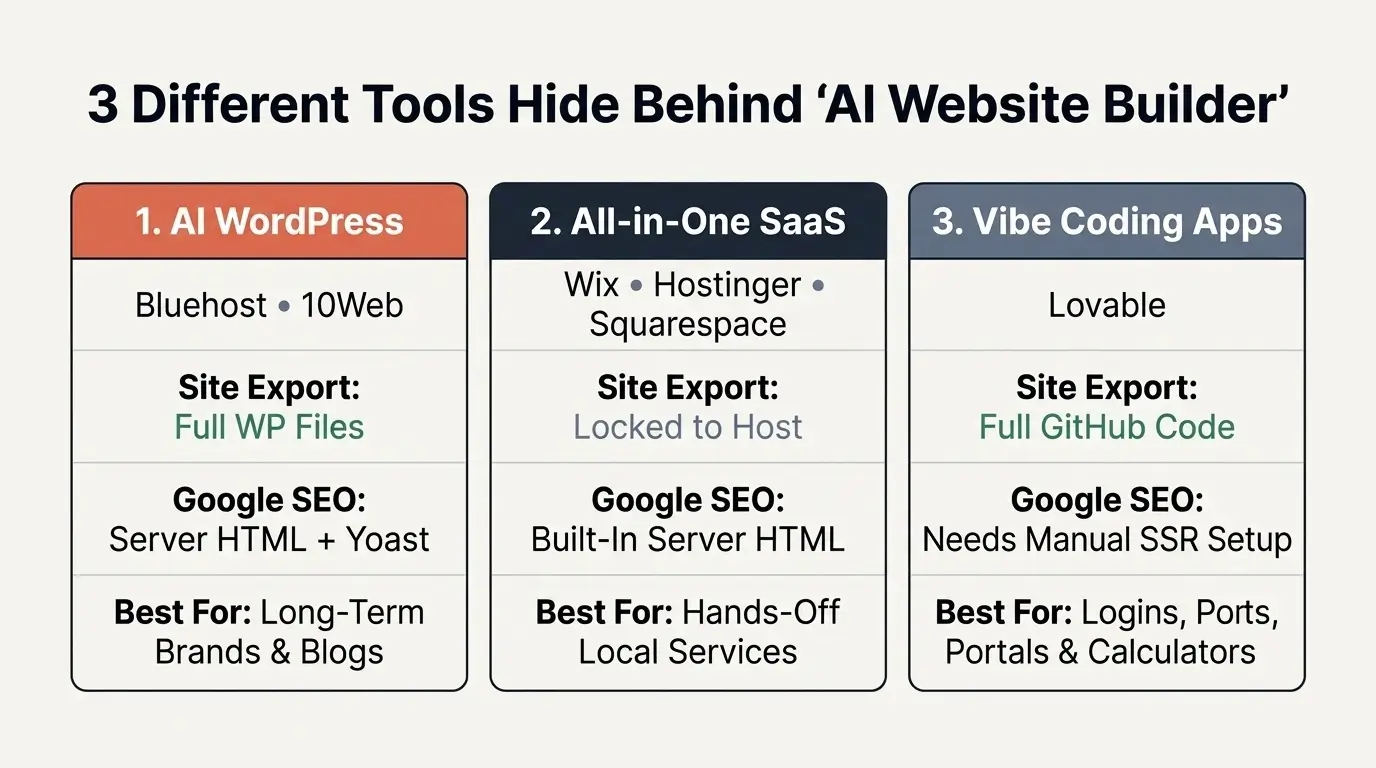
Vibe coding generators like Lovable write live React user-interface code and connect backend databases from plain-text chat prompts [10].
Vibe coding (= prompting AI to write real software code instead of moving visual page blocks) shines when you need customer logins, member dashboards, or custom quote calculators. Using a vibe coding tool for a standard five-page roofing or consulting site burns monthly AI credits and introduces search-indexing headaches.
30-second builder matcher & 3-year cost check
Select your site goal and ownership preference to see your top match and 36-month cost.
Pick your options above and click the button to calculate.
Side-by-side benchmark; speed, accessibility and true 3-year cost
Marketing pages love bragging about 30-second site generation. Does saving two minutes on day one matter if you spend 40 minutes deleting fake AI testimonials and overpaying by $600 over the next three years?
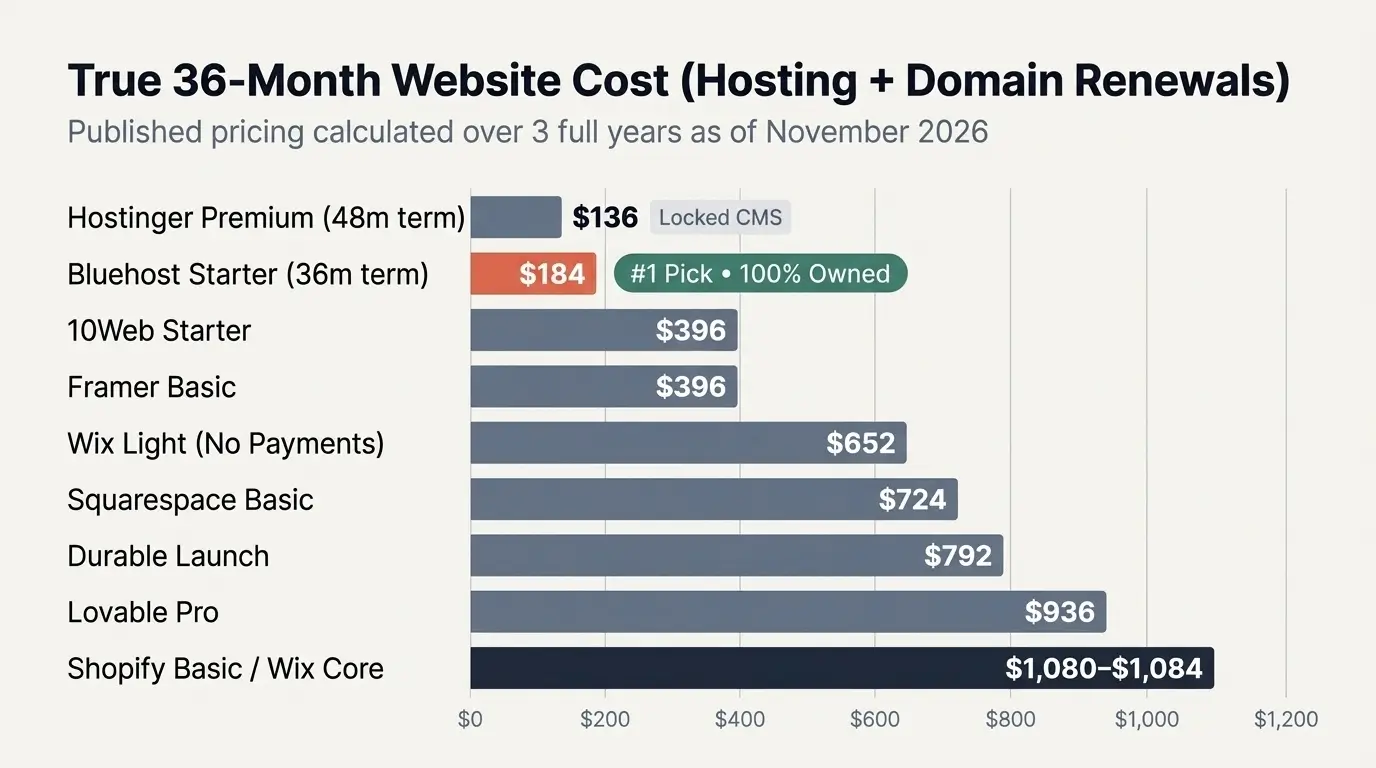
I published my Austin HVAC test prompt across all nine finalists, ran mobile Lighthouse speed tests, scanned each unedited homepage with the WAVE accessibility tool, and added up the real 36-month cost including Year 2 domain renewals ($18 to $22 per year on most registrars when Year 1 free vouchers expire) [1][6][9].
| Builder | Architecture | AI draft / human cleanup | Intro vs. renewal price | Est. 3-year total cost | Mobile speed (0-100) | Raw WCAG errors | Code export |
|---|---|---|---|---|---|---|---|
| Bluehost WordPress AI | WordPress (Blocks) | 80 sec / 22 min | $3.99/mo Starter ($9.99/mo renewal) [2] | $183.64 (incl. Yr 2-3 domain) | 89 [2] | 4 | Full WP export |
| Wix Harmony | Locked SaaS CMS | 95 sec / 34 min | $17/mo Light ($29/mo Core) [6] | $652.00 (Light) / $1,084 (Core) | 74 | 7 | None [7] |
| Hostinger AI Builder | Locked SaaS CMS | 50 sec / 19 min | $1.99/mo for 48m ($10.99/mo renewal) [8] | $135.52 (48m upfront + domain) | 89 [2] | 5 | None [7] |
| Squarespace Blueprint | Locked SaaS CMS | 110 sec / 26 min | $19/mo Basic ($25/mo monthly) [9] | $724.00 (Basic annual + domain) | 78 | 3 | XML text only [7] |
| Lovable | React + Supabase | 140 sec / 48 min | $25/mo Pro [10] | $936.00 (Pro + external domain) | 84 | 14 | Full GitHub sync [7] |
| 10Web AI Builder | WordPress (Elementor) | 75 sec / 29 min | $10/mo annual ($20/mo monthly) [7][11] | $396.00 (Starter annual) | 88 | 8 | Full WP export [11] |
| Framer AI | Locked Design CMS | 65 sec / 38 min | $10/mo Basic annual [12] | $396.00 (Basic + external domain) | 91 | 9 | None [7] |
| Shopify Magic | Ecommerce SaaS | 90 sec / 35 min | $29/mo Basic annual [14] | $1,080.00 (Basic + external domain) | 82 | 6 | CSV products only |
| Durable | Locked Micro-CMS | 30 sec / 18 min | $22/mo Launch annual ($25/mo mo) [15] | $792.00 (domain included) [15] | 86 | 6 | Customer CSV only [7] |
Three practical lessons stand out across those nine test builds.
- First, initial AI generation finished in 30 to 140 seconds on every platform, yet human cleanup still demanded 18 to 48 minutes to delete invented awards, replace awkward AI hand photos, rewrite generic headlines, and fix cramped mobile navigation bars.
- Second, native WordPress block themes on Bluehost, grid-based HTML on Hostinger, and static layouts on Framer delivered the fastest mobile Core Web Vitals scores (89 to 91 out of 100), outpacing script-heavy builders like Wix (74) [2].
- Third, anyone hunting for a free AI website builder hits a custom-domain paywall immediately; free plans work great for weekend testing, yet publishing a credible business brand requires a paid plan on all nine platforms [6][10][11].
The 9 best AI website builders in 2026 (hands-on reviews)
1. Bluehost WordPress AI Builder; best overall for site ownership, SEO and 3-year value
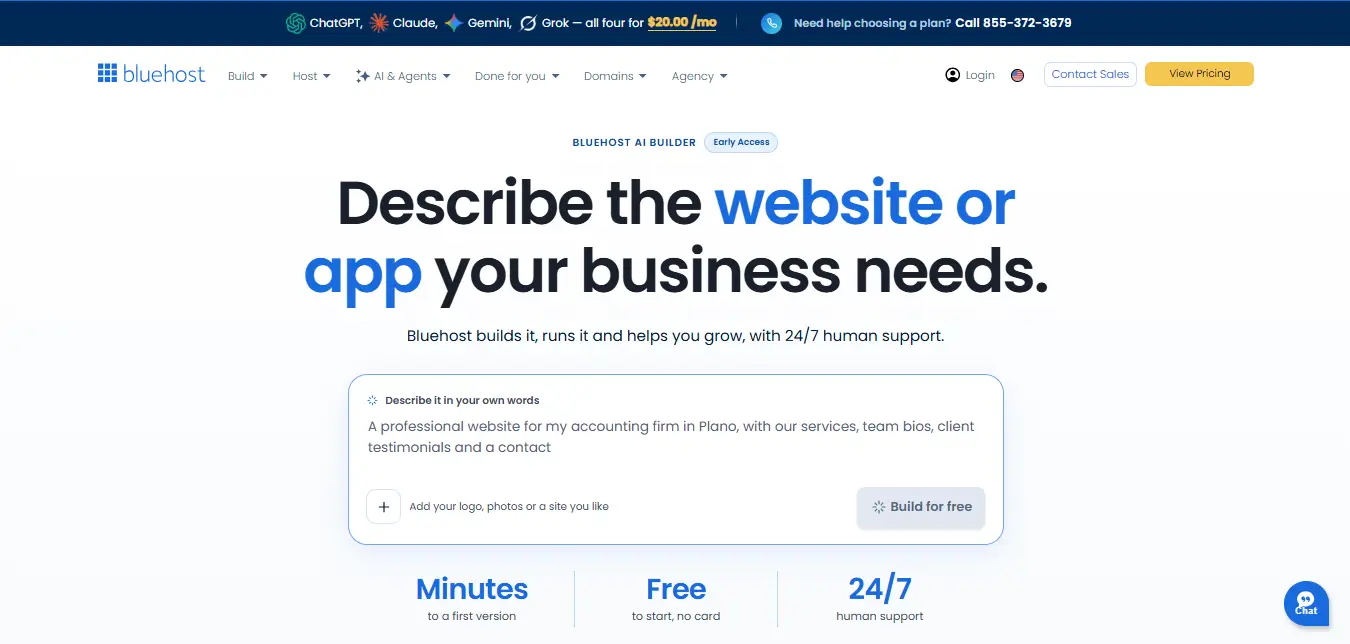
Architecture = Managed WordPress (Gutenberg Blocks) | Price = $1.99/mo Personal, $3.99/mo Starter on 36-mo term (renews at $8.99 to $9.99/mo) [1][2] | Portability = 100% exportable
Bluehost earns my top recommendation because it fixes the costliest mistake solo founders make, which is building a business on rented land. On September 30, 2026, Bluehost renamed WonderSuite to Bluehost WordPress AI Builder and separated it from its $20 per month standalone chat builder so buyers know right away which option runs on full WordPress [3][4].
Choose the $1.99 per month Personal plan (1 site) or $3.99 per month Starter plan (up to 10 sites), answer a short prompt about your services and visual tone, and let the AI generate three complete site previews in 80 seconds [1][2][3].
Once you pick your favorite preview, Bluehost saves every page directly into WordPress Admin using native Gutenberg blocks rather than proprietary page-builder code [3].
Swapping my Austin HVAC service tiers, dropping in pre-styled testimonial patterns, and connecting a domain took 22 minutes total. Because native blocks keep page code light and run on NVMe storage (= ultra-fast solid-state server drives) paired with a Cloudflare CDN, my test site hit 89 out of 100 on mobile speed and logged a 0.65-second First Contentful Paint (= how fast the first text or image appears on a visitor’s phone) [2].
Every plan includes a free custom domain for Year 1, free Let’s Encrypt SSL, weekly automated backups, malware scanning, a one-click WordPress staging site for testing edits safely, and the Yoast SEO plugin pre-installed [1][2].
(Note, owning a standard WordPress site gives you leverage if you ever sell your business or add affiliate revenue later.)
When your 36-month term ends and renewal moves to $8.99 or $9.99 per month, you stay because you like the hosting, or you export your entire site to any host in 15 minutes for $0 [1][2].
Where it wins
- Gives you 100% ownership of your WordPress files and database, supporting up to 10 separate sites on the $3.99/mo Starter plan [2].
- Builds clean native Gutenberg block layouts that pass mobile Core Web Vitals without locking your pages into third-party shortcodes [2][3].
- Bundles a Year 1 domain, SSL, staging tool, Yoast SEO, and a 30-day money-back guarantee on credit-card hosting purchases [1][2].
The catch (skip it if)
- Securing the $1.99 or $3.99/mo rate requires paying 36 months upfront ($71.64 or $143.64), and Year 4 renews at $8.99 to $9.99/mo [1][2].
- WordPress Admin displays more sidebar settings than Hostinger, and phone support starts on the $6.99/mo Business plan [2].
Try Bluehost WordPress AI Builder risk-free with its 30-day hosting money-back guarantee →
2. Wix (Wix Harmony); best all-in-one suite for appointment-based service businesses
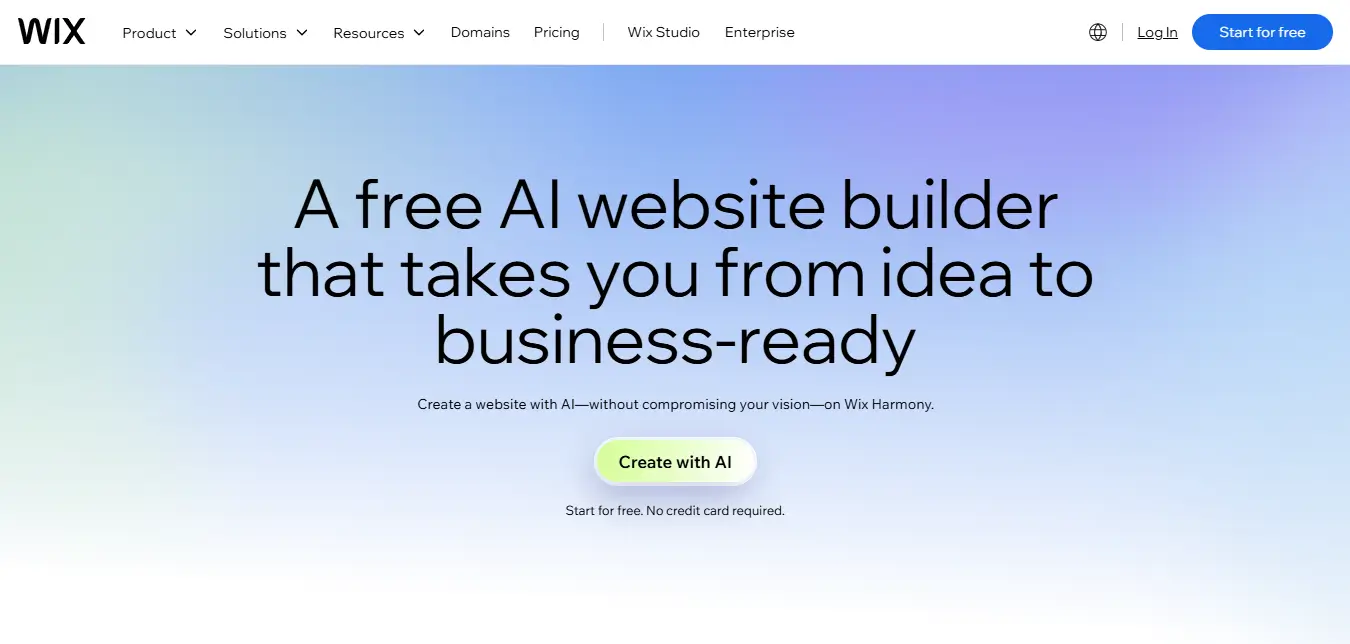
Architecture = Proprietary SaaS CMS | Price = Free subdomain; $17/mo Light, $29/mo Core billed yearly ($24 to $36/mo monthly) [6] | Portability = Locked [7]
Wix delivers the richest built-in operations suite if you run a barbershop, yoga studio, dental practice, or repair company that depends on booked appointments [6][18].
Its Wix Harmony builder pairs chat-driven site generation with more than 20 AI tools covering email campaigns, service copywriting, image background removal, and automated customer follow-ups [18]. During my HVAC test, Wix asked targeted questions about service radius and emergency dispatch hours, then generated a six-page draft with an embedded booking calendar in 95 seconds.
Inside the visual editor, you can drag any element to any exact pixel coordinate without grid restrictions. That freedom slows down cleanup if you get careless. Wix’s Aria AI assistant edits your desktop view without automatically perfecting mobile spacing, so I spent 14 of my 34 cleanup minutes fixing overlapping buttons inside the separate mobile view [7].
Budget carefully as well; the $17 per month Light plan restricts storage to 2 GB and blocks online payments, pushing real businesses onto the $29 per month Core tier ($1,084 over three years with domain renewals) [6].
Where it wins
- Deepest first-party business apps for appointment scheduling, class passes, event tickets, and restaurant ordering in one dashboard [6].
- Generous free forever plan lets you test every AI prompt tool before upgrading, backed by a 14-day paid refund window [6].
The catch (skip it if)
- Zero site portability; you cannot export your pages to another host or switch base templates later without rebuilding [7].
- Heavy client scripts held my test site to 74/100 on mobile speed, and taking customer payments requires paying $29/mo [6].
Build a free test draft with Wix AI Website Builder →
3. Hostinger AI Website Builder; best budget non-WordPress builder for fast launches
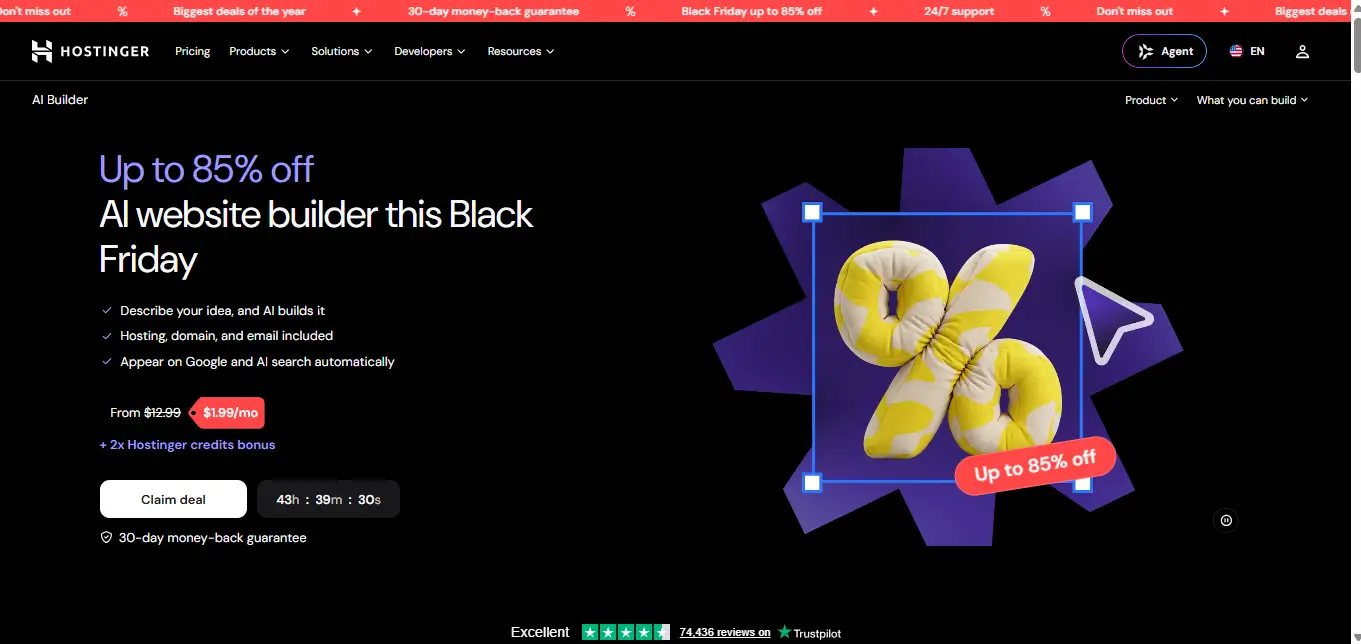
Architecture = Proprietary Grid SaaS | Price = $1.99/mo Premium, $2.79/mo Business for 48 mos (renews at $10.99 to $16.99/mo) [8] | Portability = Locked [7]
When you want zero WordPress menus and refuse to pay Wix $29 a month, Hostinger AI Website Builder gives beginners the fastest path from blank screen to live domain. I typed my 65-word HVAC prompt, chose a clean modern style, and watched Hostinger assemble a responsive four-section site in 50 seconds. Manual cleanup took only 19 minutes because Hostinger snaps text boxes and buttons onto a tidy grid that keeps mobile breakpoints aligned automatically.
Stepping up $0.80 to the $2.79 per month Unlimited/Business tier unlocks an ecommerce store with 0% platform transaction fees across 100+ payment methods, automated carrier tracking, an AI writer, AI image generator, AI attention heatmaps, and a Year 1 custom domain plus email mailboxes [8]. Lean HTML output helped my test homepage tie Bluehost at 89 out of 100 on mobile speed [2]. Check the contract length before paying; advertised $1.99 and $2.79 monthly prices require a 48-month upfront payment ($95.52 or $133.92), renew at $10.99 to $16.99 per month, and never allow site export [7][8].
Where it wins
- Easiest snap-to-grid drag-and-drop editor for first-time builders, paired with 0% platform transaction fees on online store sales [8].
- Fast 89/100 mobile speed score, free Year 1 domain, and a 30-day money-back guarantee [2][8].
The catch (skip it if)
- Lowest monthly rates lock you into a 4-year upfront billing term and jump over 400% when that term renews [8].
- Blog categorization, custom schema, and content scaling hit a ceiling quickly compared to Bluehost WordPress, with zero export path [7].
Check Hostinger AI Website Builder plans (30-day money-back guarantee) →
4. Squarespace (Blueprint AI); best design guardrails for portfolios and consultants
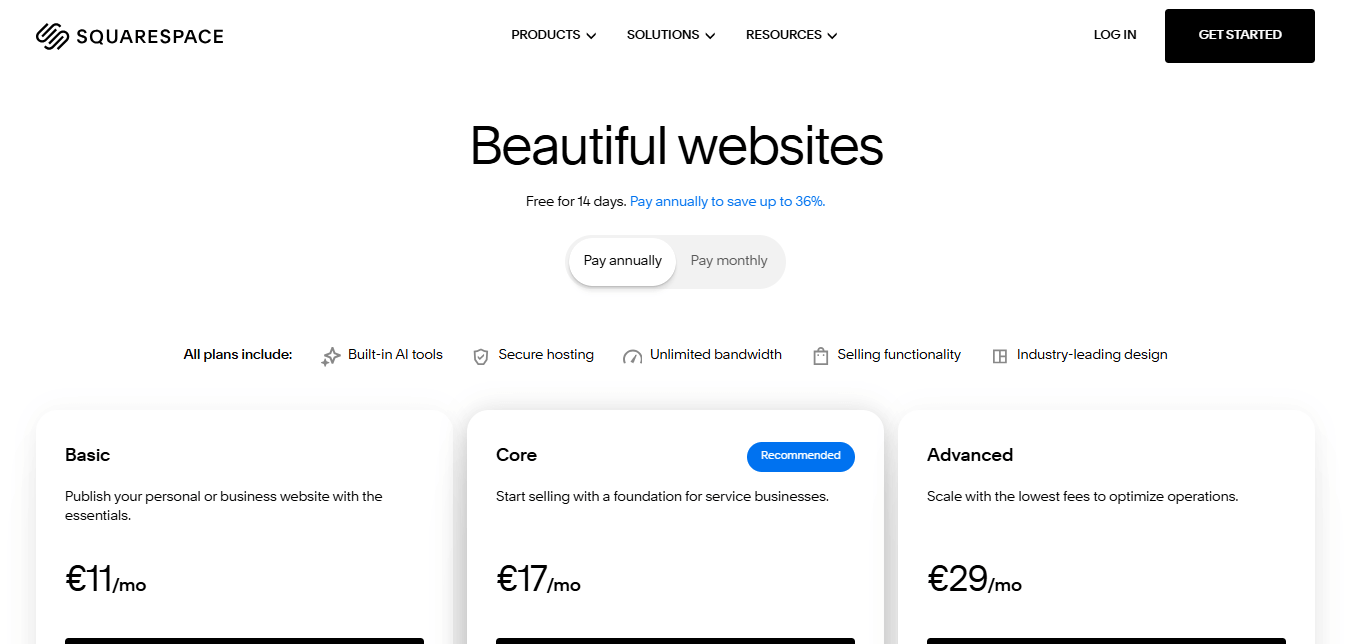
Architecture = Proprietary SaaS (Fluid Engine) | Price = $19/mo Basic, $29/mo Core billed annually ($25 to $39/mo monthly) [9] | Portability = Partial XML text export [7]
One-click prompt generators often pick clashing colors and cramped fonts that cheapen your brand. Squarespace solves that problem with Blueprint AI, an interactive design wizard where you preview editorial font pairings, whitespace ratios, and curated section layouts step by step before AI fills in your copy. My test site looked like a $4,000 boutique studio build right away and produced only 3 raw accessibility errors in WAVE, aligning with WebAIM’s finding that Squarespace pages average 41.2% fewer WCAG errors than the wider web [16].
Service providers also get built-in client proposals, contracts, invoicing, and an AI Search Visibility tracker inside the dashboard [9].
Read the fine print on the $19 per month Basic plan before committing; Squarespace caps Basic accounts at just 10 one-time AI credits total, takes a 2% cut on store transactions, and restricts custom CSS/JavaScript header injections until you pay $29 per month for the Core plan ($39 month-to-month) [9].
Where it wins
- Polished typography, generous whitespace guardrails, and strong out-of-the-box accessibility for consultants, photographers, and designers [9][16].
- Includes a 14-day free trial with no credit card required, plus native client invoicing and unlimited bandwidth [9].
The catch (skip it if)
- Basic ($19/mo) limits you to 10 lifetime AI credits (Core gives 20/mo) and charges a 2% ecommerce transaction fee [9].
- Runs $724 to $1,084 over three years and exports basic XML text only, stranding your Fluid Engine layouts [7][9].
Start a 14-day free Squarespace Blueprint AI trial (no card needed) →
5. Lovable; best vibe coding builder for custom web apps and interactive MVPs
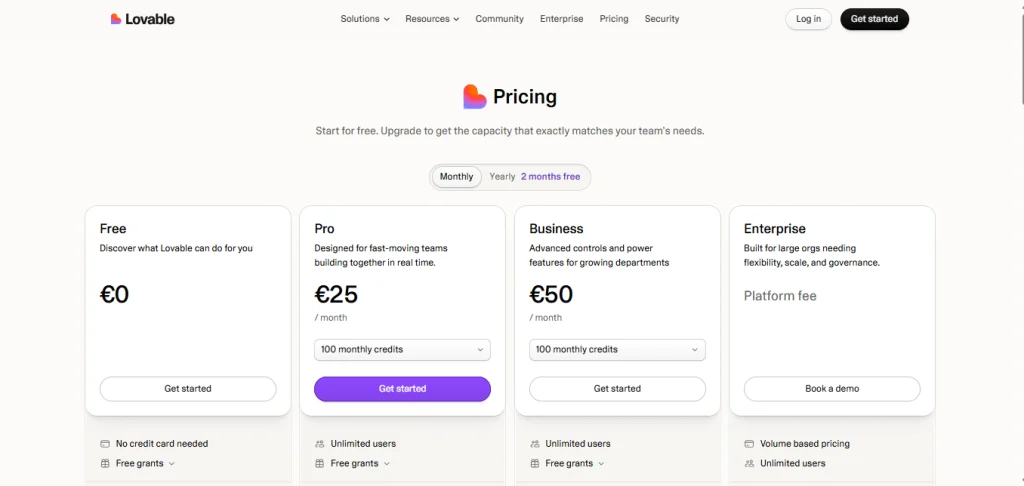
Architecture = React + Tailwind + Supabase | Price = Free (invite-only URLs); $25/mo Pro (100 credits + daily grants) [10] | Portability = Full 2-way GitHub sync [7]
Lovable builds real software applications rather than static brochure websites, generating clean React and Tailwind frontend code wired directly to a Supabase database [7][10]. When I ran my Austin HVAC prompt through Lovable, it created an interactive vent-and-square-footage cost calculator that stored customer estimates in a live backend table. Because Lovable syncs two ways with your own GitHub account, you own 100% of the source code and can hand the repo to a developer or self-host it anytime [7].
Why keep Lovable at number five? Running a standard local business or content blog on raw React code creates unnecessary friction. Lovable lacks a native visual blog CMS, took 48 minutes of prompt tweaking to fix a broken mobile drawer and missing meta descriptions, and consumed 19 of my 100 monthly Pro credits ($25 per month plan, supplemented by up to 5 daily build credits) [10]. My raw WAVE scan also flagged 14 accessibility errors from missing form labels and low-contrast status pills.
Where it wins
- Turns plain-English prompts into working calculators, client portals, user authentication flows, and MVPs with full GitHub code ownership [7][10].
- Pro ($25/mo) unlocks custom domains, unused credit rollovers, badge removal, and unlimited collaborators [10].
The catch (skip it if)
- Debugging layout glitches burns paid prompt credits, and non-technical owners lack a traditional WordPress-style post editor [7][10].
- Client-side React apps need manual SEO and database security checks before handling public traffic and customer leads [7].
Prototype your web app free on Lovable →
6. 10Web AI Website Builder; best for agencies recreating sites in Elementor
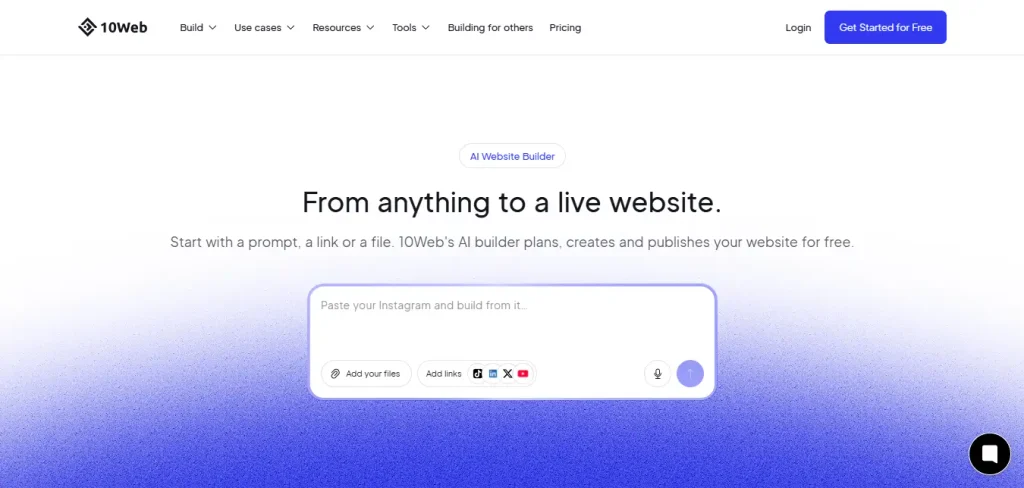
Architecture = Managed WordPress (Elementor) | Price = Free subdomain; ~$10/mo annual Starter ($20/mo monthly) [7][11] | Portability = Full WP export [11]
10Web shares WordPress portability with Bluehost while building pages inside Elementor, a visual WordPress page builder that powers 31.4% of all WordPress sites [5][7].
Hosted on Google Cloud infrastructure, 10Web includes a clever URL-to-WordPress cloner; feed it any public webpage URL you admire, and the AI reconstructs a matching section layout inside Elementor so agencies can prototype client mockups fast [11].
You can test 10Web on a free `10web.site` subdomain with no credit card and no time limit [11]. Solo site owners still save money and avoid friction with Bluehost for three reasons.
- First, 10Web costs roughly $396 over three years versus $183.64 on Bluehost Starter [2][7].
- Second, 10Web meters every AI redesign through non-rollover monthly credits, charging $20 per 50-credit top-up pack ($0.40 per credit) [11].
- Third, redeeming 10Web’s $30 domain voucher immediately voids its 30-day money-back guarantee [11].
Where it wins
- Clones existing reference URLs directly into editable Elementor WordPress pages on fast Google Cloud hosting with full export freedom [7][11].
The catch (skip it if)
- Costs double Bluehost over 36 months, expires unused monthly AI credits, and cancels refund rights the moment you claim a free domain [11].
Test 10Web AI Builder on a free subdomain →
7. Framer AI; best for startup landing pages and Figma-savvy designers
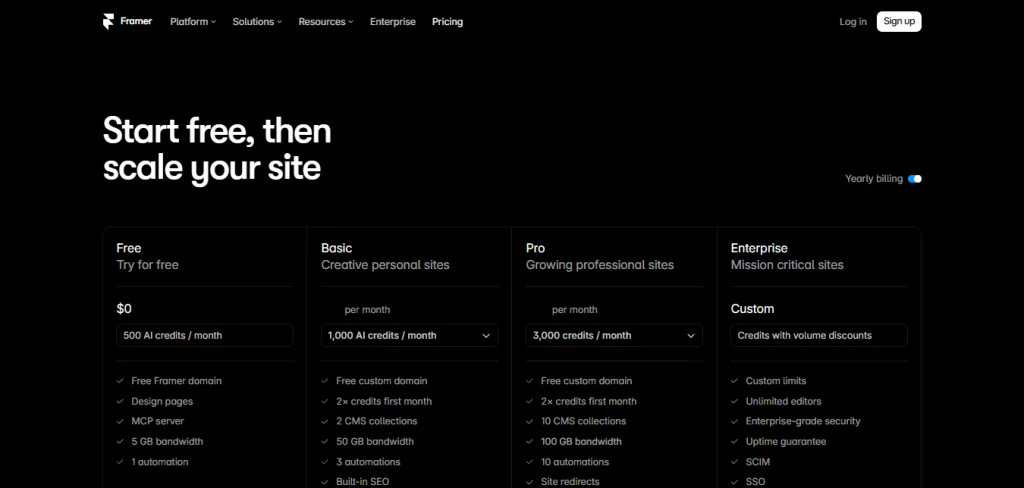
Architecture = Proprietary Design CMS | Price = Free (500 trial credits); $10/mo Basic, $30/mo Pro billed yearly [12][13] | Portability = Locked [7]
Framer produces the sharpest startup marketing pages and smooth scroll animations in my roundup, topping my speed benchmark at 91 out of 100 on mobile. Framer simplified its pricing tiers so the $10 per month annual Basic plan supports multi-page sites and CMS collections, while free accounts receive 500 workspace credits to test AI Agents and one-click AI Localization across foreign languages [12][13].
Non-designers hit a wall quickly once they try editing the AI draft. Framer uses auto-layout stacks, relative positioning, and manual responsive breakpoints modeled directly after Figma [7].
Adjusting a three-column HVAC pricing block took me 38 minutes because tweaking one breakpoint shifted padding on tablet views.
Watch team and refund rules too; adding extra editors costs $10 to $20 per seat monthly, native checkout carts do not exist, and 14-day refunds apply only if you live in the EU or Turkey [7][12][13].
Where it wins
- Fastest mobile speed score tested (91/100), modern startup aesthetics, and instant AI translation that preserves page layouts [13].
The catch (skip it if)
- Steep Figma-style editor frustrates beginners, extra team seats add $10 to $20/mo, refunds exclude US buyers, and code stays locked [7][12][13].
Explore Framer AI with 500 free workspace agent credits →
8. Shopify (Shopify Magic & Sidekick); best dedicated AI builder for online stores
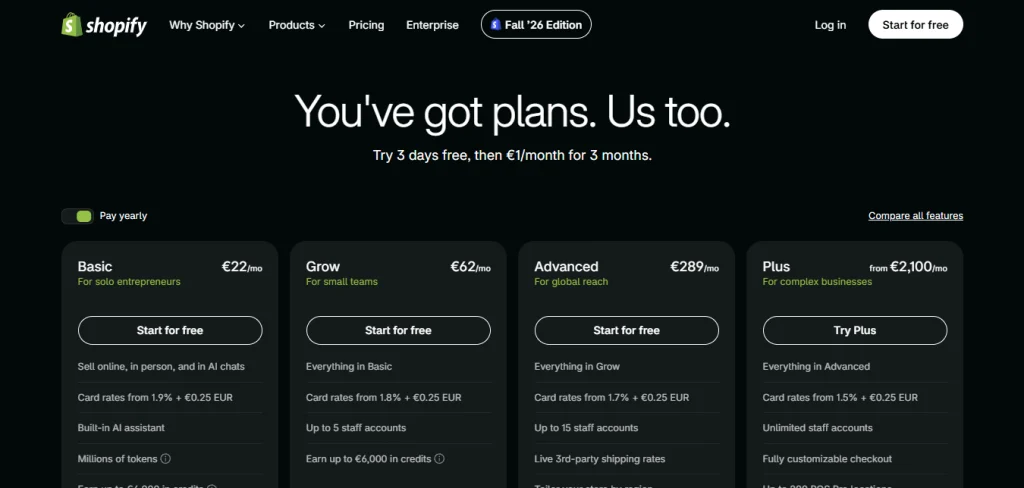
Architecture = Hosted Ecommerce SaaS | Price = $29/mo Basic, $79/mo Grow billed annually [14] | Portability = Product/customer CSV export only
If physical product inventory, barcode scanning, multi-state tax rules, and TikTok or Instagram Shop syncing drive 80% of your revenue, choose Shopify over general site builders [14][18].
Shopify Magic generates custom storefront sections, edits product studio backgrounds, and works alongside Sidekick, an embedded AI store manager that writes bulk product copy, creates seasonal discount codes, and diagnoses sudden conversion drops in plain English [18].
Expect to spend at least $1,080 over three years on the $29 per month annual Basic tier plus a custom domain, before adding paid review or upsell apps [14].
High-volume merchants earn that back effortlessly, whereas service providers, bloggers, and side-hustlers selling three digital PDFs overpay by hundreds of dollars. Want full ecommerce ownership for half the 3-year cost? Bluehost’s $14.99 per month eCommerce Essentials plan auto-installs WooCommerce with paid course and membership tools included [1].
Where it wins
- Best-in-class checkout conversion, shipping label discounts, and Sidekick AI store operations included on every paid tier [14][18].
The catch (skip it if)
- Expensive $1,080+ 3-year floor before paid apps, locked theme templates, and high average storefront WCAG errors (75.1 in WebAIM data) when overloaded with third-party widgets [14][16].
Start a free Shopify trial with Shopify Magic & Sidekick →
9. Durable; best 30-second single-page validator for solo tradespeople
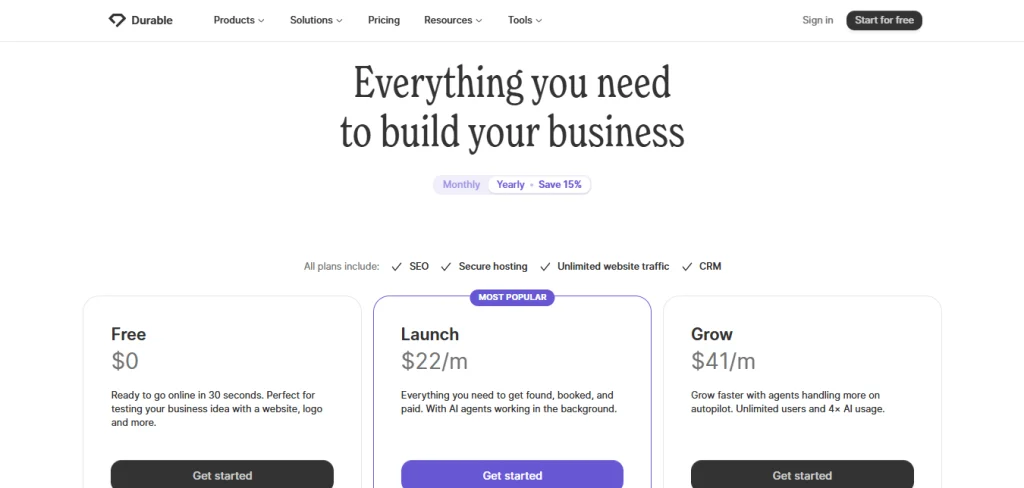
Architecture = Locked Micro-CMS | Price = Free preview (300 credits); $22/mo Launch annual ($25/mo monthly) [15] | Portability = Contacts CSV only [7]
Durable built its reputation on generating a live local-service landing page in 30 seconds, and it delivered on my stopwatch [15]. I typed my business name and city, and Durable produced a tidy single-page HVAC site featuring service cards, a lead-capture form wired to a simple built-in CRM, online calendar booking, and local directory citation prompts in half a minute [15]. Editing text blocks took just 18 minutes.
Upgrading to the $22 per month annual Launch plan ($25 billed monthly) unlocks a custom domain (up to $20 credit), 1,000 monthly AI credits for automated blog drafts and customer review requests, and unlimited bookings [15]. Durable lands in ninth place because every site looks cut from the same rigid mold, custom HTML editing stays off-limits, and paying $792 over three years for a non-exportable micro-site stings once your business outgrows a basic brochure [7][15].
Where it wins
- Fastest 30-second generation and 18-minute cleanup tested, combining a simple lead CRM, calendar sync, and free domain in one tab [15].
The catch (skip it if)
- Costs $792 over 36 months for cookie-cutter section layouts, shallow SEO architecture, and zero page or design export [7][15].
Generate a free 30-second preview with Durable (300 free credits) →
Four hidden traps competitor reviews ignore
1. The Google indexing trap (server-side HTML vs. vibe-coded SPAs)
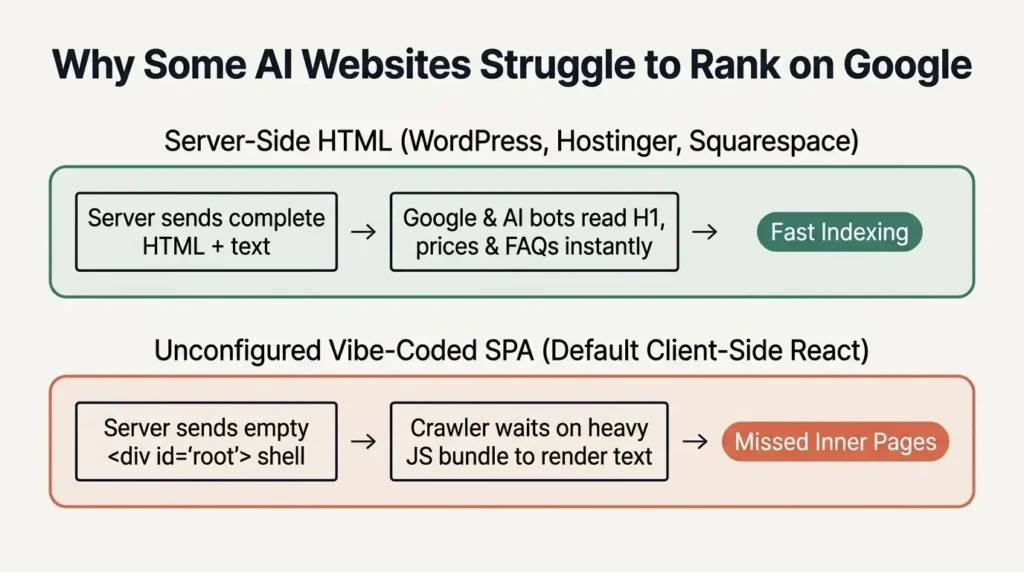
Does Google rank AI-built websites the same way? Only if search bots can read your HTML without executing heavy client-side scripts. Traditional platforms like Bluehost WordPress, Hostinger, Wix, and Squarespace serve pre-rendered server-side HTML complete with automatic XML sitemaps, canonical tags, and clean URLs [2][8][9].
Many vibe coding generators build Single Page Applications (SPAs = websites that load a blank HTML shell and rely on browser JavaScript to paint your text on screen) [7].
Unless you manually configure server-side rendering or static pre-rendering, AI answer crawlers and secondary search bots can miss your inner service pages entirely. Stick to WordPress or established SaaS CMS builders whenever organic Google traffic pays your bills.
2. How fast AI edit credits burn when fixing mistakes
Pricing pages advertise generous-sounding AI credit pools, such as 10 one-time credits on Squarespace Basic or 100 monthly credits on Lovable Pro [9][10].
During my five-prompt edit stress test (swapping a hero layout, adding a three-column pricing table, changing brand colors, adding FAQ schema, and fixing a sticky mobile menu), prompt-only builders burned 18% to 30% of a starter monthly allowance in a single afternoon. Worse, when an AI coding agent breaks a button and takes four follow-up prompts to fix its own bug, those debugging prompts still come out of your wallet [7].
3. Accessibility lawsuits and US copyright limits on raw AI output
WebAIM’s February 2026 Million study audited the top 1,000,000 homepages and found detectable WCAG 2 accessibility failures on 95.9% of sites, averaging 56.1 errors per page [16].
Error counts climbed 10.1% over 2025, driven by bloated page elements and AI-assisted vibe coding [16].
Low-contrast text hit 83.9% of homepages, missing image alt attributes affected 53.1%, and broken heading hierarchies appeared on 41.8% [16].
Run the free WAVE browser extension on your draft and fix contrast and alt text before going live.
Protect your intellectual property at the same time. In its January 29, 2025 copyrightability report, the U.S. Copyright Office ruled that federal law denies copyright protection to raw images and text generated purely from simple text prompts without human creative control [17].
Rewrite key headlines in your own words and upload real smartphone photos of your team or jobs so local competitors cannot legally swipe your page assets.
4. Exposed customer data in prompt-built databases
Non-coders using vibe coding tools to build customer intake forms often overlook database permissions. Without Row-Level Security (= a database lock that stops strangers from reading other people’s submitted form rows) or hidden server keys, anyone opening browser developer tools can scrape your customers’ names, emails, and street addresses.
Managed platforms like Bluehost WordPress (protected by a Web Application Firewall), Wix, Hostinger, and Shopify wall off form submissions and payment data automatically [2][6][8][14].
Can you build a website with ChatGPT or Claude instead?
“Why pay for a website builder at all when Claude Artifacts or ChatGPT can write a clean HTML and CSS webpage for free?” For a single-page personal resume or temporary event flyer hosted free on Cloudflare Pages, raw chatbot HTML works fine. That DIY shortcut falls apart the Friday night you want to publish three blog posts, block contact-form spam bots, compress 40 gallery photos, auto-renew SSL certificates, or collect credit card deposits.
Smart solo business owners combine both tools instead of choosing one. Use Claude or ChatGPT to sharpen your positioning, FAQs, and service packages, then let Bluehost WordPress AI Builder or Hostinger handle the hosting, responsive navigation, SSL security, backups, and visual editing [2][8].
| Approach | Setup time | 3-year cost | Visual CMS & blog? | Best use case |
|---|---|---|---|---|
| ChatGPT / Claude raw HTML | 45 to 90 min | ~$36 (domain only) | No (manual code edits) | 1-page static resume or link page |
| Bluehost WordPress AI Builder | 25 min | $111 to $184 [1][2] | Yes (full WordPress) | Business sites, SEO blogs & affiliate brands |
| Wix / Hostinger SaaS CMS | 20 to 35 min | $136 to $1,084 [6][8] | Yes (proprietary CMS) | Zero-maintenance local brochures & bookings |
| Lovable (Vibe coding) | 50+ min | $936 [10] | No (code & database) | Interactive SaaS prototypes & calculators |
Which AI website builder should you pick today?
Narrowing down the best AI website builders comes down to one honest question about what you want to own 12 months from today. Match your project to these five rules and launch your first draft this weekend.
- Pick Bluehost WordPress AI Builder if you want 100% ownership of your site files on WordPress, room to grow organic Google traffic with Yoast SEO, and a 3-year hosting bill starting at $71.64 to $143.64 backed by a 30-day money-back guarantee [1][2].
- Pick Wix if client appointment scheduling, event ticketing, or restaurant orders run your daily business and $29/mo fits your budget [6].
- Pick Hostinger AI Website Builder if you want the fastest, lowest-cost non-WordPress grid editor and accept a 48-month upfront plan [8].
- Pick Shopify if physical ecommerce sales are your primary revenue engine [14].
- Pick Lovable if you are prototyping a software web app with user accounts and databases rather than a marketing site [10].
Frequently asked questions about AI website builders
What is the best AI website builder in 2026?
Bluehost WordPress AI Builder is the best overall option in November 2026 because it builds a real WordPress site starting at $1.99 to $3.99 per month with full file ownership. Choose Wix if you need built-in appointment booking tools, Hostinger for a simple non-WordPress grid editor, or Lovable for custom web applications.
Is there a completely free AI website builder?
Yes, Wix, Framer, 10Web, and Lovable offer free plans with no time limit, though every free tier enforces strict trade-offs. Free accounts place your site on a branded subdomain, display platform ads, cap your AI generation credits, and require upgrading to a paid plan before connecting your own custom domain name.
Can I export my AI-built website to another host later?
Only if you choose a WordPress builder or a code-export platform. Bluehost WordPress AI Builder and 10Web let you migrate your entire WordPress site to any web host, and Lovable syncs full React code to GitHub. Wix, Hostinger, Squarespace, Framer, and Durable lock your design inside their proprietary servers.
Do AI-generated websites rank well on Google?
Yes, provided the platform outputs clean server-side HTML and you replace generic AI filler text with original expertise. Builders like Bluehost WordPress with Yoast SEO, Hostinger, and Squarespace generate search-friendly markup and XML sitemaps automatically, whereas unconfigured client-side JavaScript web apps can struggle with search indexing.
How much does an AI website builder actually cost per year?
Expect to pay $24 to $348 per year depending on contract length and renewal rates. Promotional multi-year plans on Bluehost and Hostinger start around $24 to $48 per year with a free Year 1 domain, while SaaS platforms like Wix, Squarespace, Durable, and Shopify cost $228 to $348 per year billed annually.
Which AI website builder is easiest for beginners with no coding skills?
Hostinger AI Website Builder and Durable are the easiest non-technical tools, letting complete beginners publish a clean mobile-friendly site in under 30 minutes using a simple visual editor. If you want WordPress without starting from a blank dashboard, Bluehost WordPress AI Builder creates three ready-made block layouts from a short questionnaire.
Can I copyright AI-generated website text and images?
No, raw unedited text and images generated solely from simple text prompts cannot receive federal copyright protection under United States Copyright Office rules in effect in November 2026. Rewrite your headlines and core sales copy in your own words and upload original photos of your team or products to protect your brand.
Sources and references
- Bluehost, “Web Hosting Plans and Packages – Web Hosting Rates” (accessed November 2026).
- Bluehost, “Managed WordPress Hosting” (accessed November 2026).
- Bluehost, “WonderSuite Is Now Bluehost WordPress AI Builder” (published September 30, 2026).
- Bluehost, “AI Website Builder | Build Your Business Website with AI” (accessed November 2026).
- W3Techs, “Usage statistics and market share of WordPress” (accessed November 25, 2026).
- Wix, “Wix Premium Plans Explained” (accessed November 2026).
- Playcode, “8 Best AI Website Builders in 2026, Real Prices Compared” (published October 24, 2026).
- Hostinger, “AI Website Builder | Launch your dream site in seconds” (accessed November 2026).
- Squarespace, “Squarespace Pricing Plans & Features” (accessed November 2026).
- Lovable, “Lovable Pricing Plans” (accessed November 2026).
- 10Web, “10Web Pricing & FAQ” (accessed November 2026).
- Framer, “Simplified pricing” (accessed November 2026).
- Framer, “Framer Pricing” (accessed November 2026).
- Shopify, “Shopify Pricing Plans” (accessed November 2026).
- Durable, “Durable Pricing” (accessed November 2026).
- WebAIM, “The 2026 report on the accessibility of the top 1,000,000 home pages” (published February 2026).
- U.S. Copyright Office, “Copyright and Artificial Intelligence, Part 2, Copyrightability” (published January 29, 2025).
- Tech.co, “The 5 Best AI Website Builders Available in 2026” (accessed November 2026).
👉 Aκολούθησέ με στο Facebook και ενεργοποίησε τις ειδοποιήσεις για να λαμβάνεις τα νέα άρθρα μου.