

| Dimension | ChatGPT | Genspark |
|---|---|---|
| Monthly price (paid entry) | ~$20 (Plus) | ~$25 (Plus, 10,000 credits) |
| Models included | OpenAI only | GPT-5.2, Claude Opus 4.5, Gemini 3, plus 30+ models |
| Unlimited chat | Yes, within OpenAI models | Yes, zero-credit, all models, through Dec 31, 2026 |
| Extra built-in tools | Canvas, agent mode | 15+ agents: slides, sheets, video, calls, browser, more |
| Free plan | Free tier with model limits | 100 credits per day |
| Heavy-task cost | Included in plan | Burns credits (decks, deep research, calls) |
| Best use case | Reliable single-vendor chat | Multi-model work + deliverables in one place |
Genspark vs ChatGPT at a glance
You already pay $20 a month for ChatGPT Plus. You probably also pay for a search tool, a slides tool, maybe a no-code builder.
That stack adds up fast, and most people never sit down to total it. When you do, you often find $60 to $100 a month spread across four tabs you forget you signed up for.
So the question real users keep asking on Reddit is “If about $25 buys you ChatGPT-class models AND a full toolset, why pay $20 for ChatGPT alone?”
One user put it plainly, asking why anyone would subscribe to ChatGPT Pro or Claude separately when one Genspark plan covers both models at once [6].
I dug into the pricing, the model list, and real task tests to answer that.
The short version leans toward Genspark for most paying users.
The longer version has one caveat that matters a lot, and I will not bury it. Credits run out on heavy tasks faster than people expect. Chat does not.
That distinction decides whether Genspark saves you money or annoys you by the third week of the month.
How I compared these two
I did not run a fresh lab test for this piece. I pulled the comparison from documented sources and cross-checked them.
- Pricing, credit costs, and the unlimited-chat guarantee come straight from Genspark’s own help center [1][5].
- The tool descriptions come from Genspark’s product pages and help center, plus a feature walkthrough that ran real prompts through the agents [4][10][11][12][8].
- The task performance results, the 10-file cap and the bulk-file tests, come from a separate head-to-head that ran identical jobs through both platforms [7].
- The buyer questions and the credit complaints come from real users in the Genspark subreddit [6][9].
Where the sources disagreed, I said so instead of picking the flattering number. Coding is the clearest example, since neither tool finished the job cleanly and I wrote it that way [7].
That is the basis for every claim below. Now the tools themselves.
What Genspark and ChatGPT actually are
ChatGPT is OpenAI’s assistant. One vendor, one family of models, a polished interface, and strong reliability.
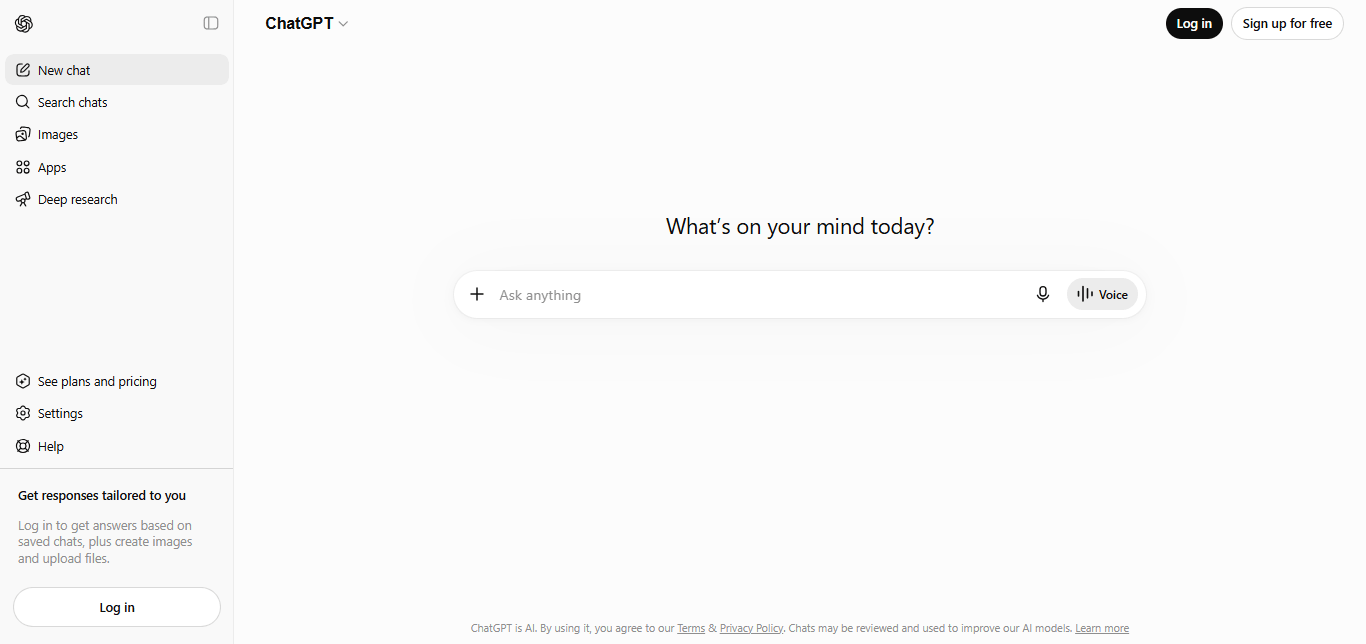
You ask, it answers, and the experience stays consistent from morning to night.
The trade-off is simple. You get OpenAI’s models and nothing else. If a rival model would handle your task better, ChatGPT cannot route you there.
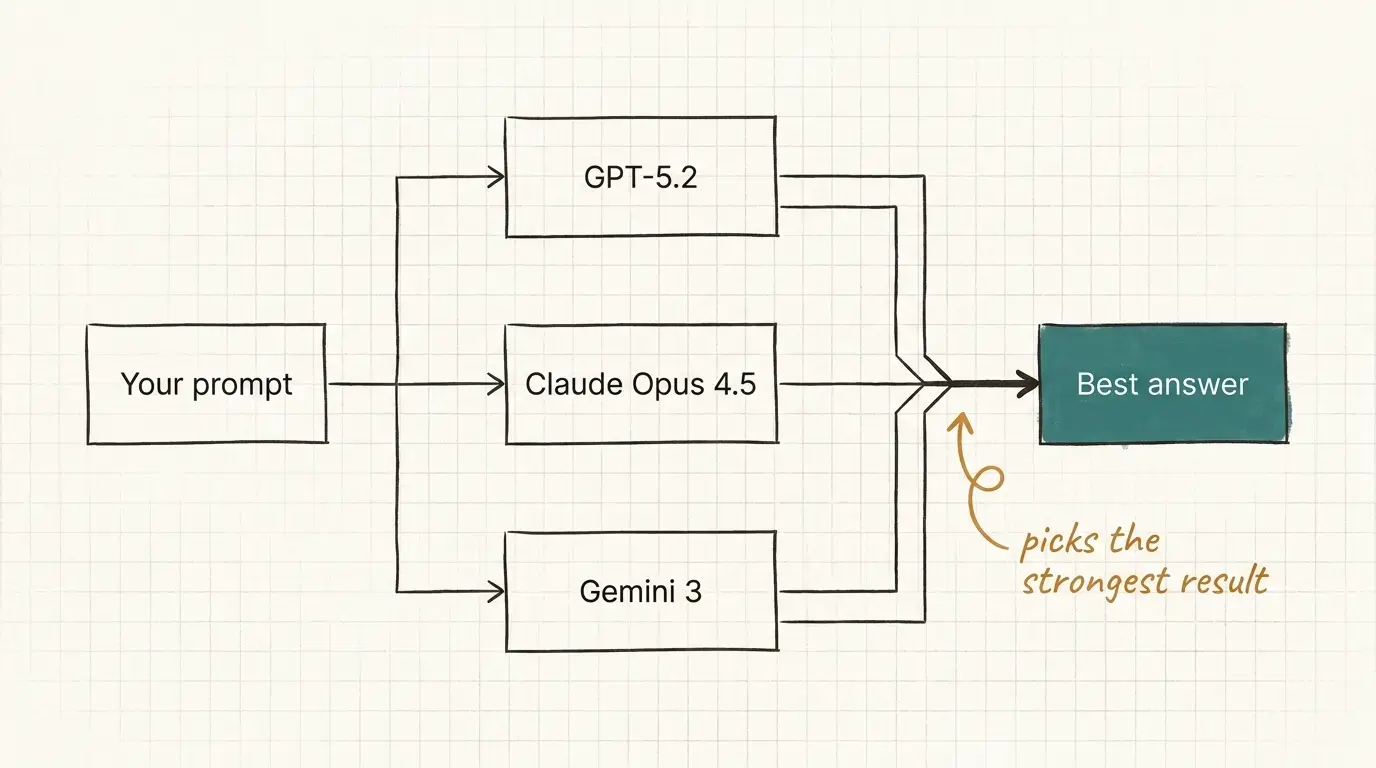
Genspark is a multi-model AI workspace. Instead of one model, it routes your request across 30+ models through specialized agents, an approach the company calls Mixture-of-Agents [2].
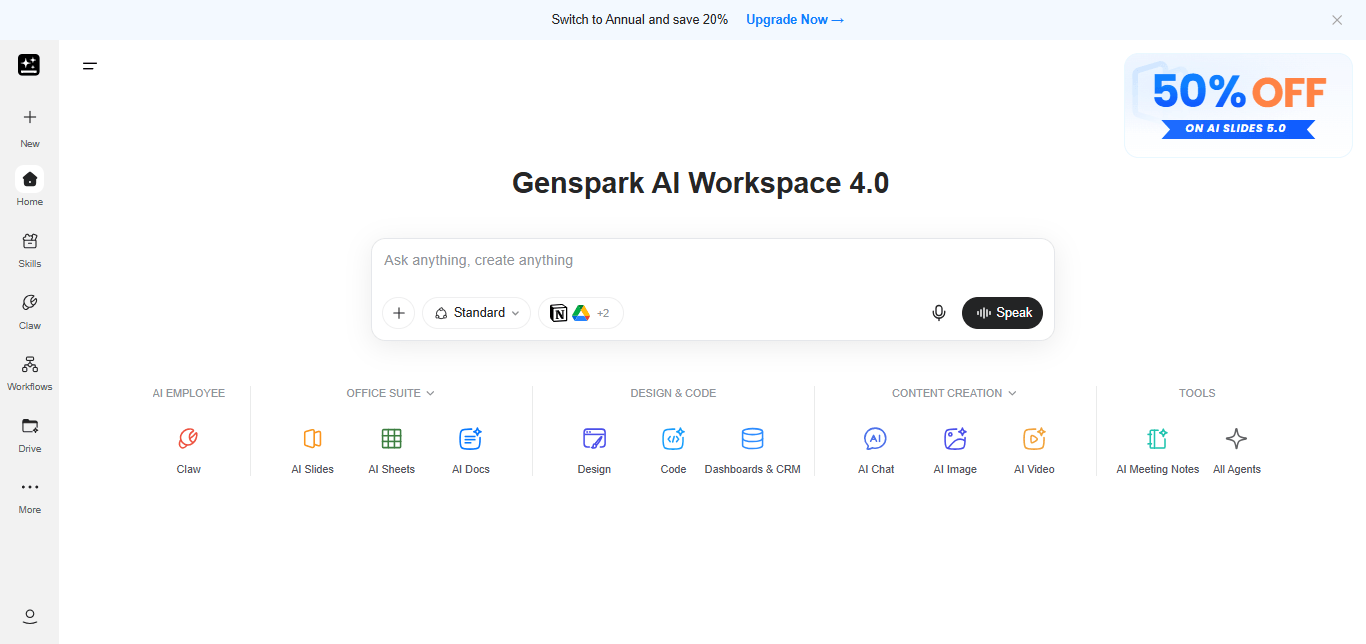
You prompt once, and it picks GPT-5.2, Claude Opus 4.8, or Gemini 3.1 depending on the task, then checks the outputs against each other before answering [2].
Genspark launched in 2023, built by a team led by a former founding member of Microsoft Bing and a former Google ranking lead, and crossed $100 million in ARR (annual recurring revenue, the yearly value of its subscriptions) inside its first year [2].
“Isn’t Genspark just a ChatGPT wrapper?”
Fair concern, and I had it too.
Genspark does more than being a “wrapper” (a thin app that pipes your prompt to someone else’s model and adds nothing of its own). It routes across multiple vendors, runs 6 to 14 agents in parallel on complex queries, and verifies results between them [2].
You do give up something in exchange. Genspark can swap models in the background when you push it hard, so the model you picked is not always the model that answers [6].
Worth knowing before you commit a month of work to it.
Genspark vs ChatGPT pricing: what $20 to $25 really buys
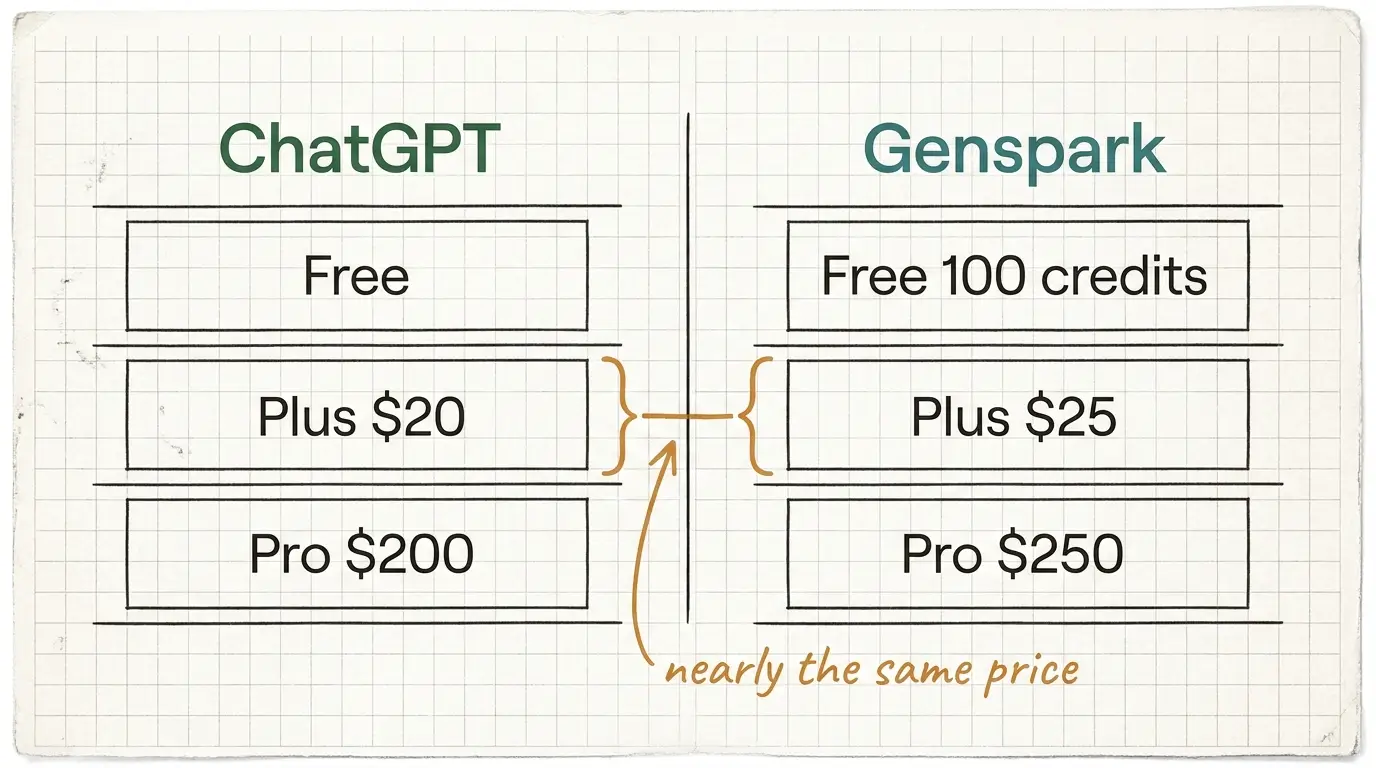
ChatGPT keeps it simple. A free tier with model and usage limits, Plus at about $20 a month, and Pro at about $200 a month for heavy users [3].
Your $20 gets you OpenAI’s models, agent mode, and canvas. Nothing else bolts on at that price.
Genspark runs three tiers.
- Free gives you 100 credits per day [5].
- Plus costs about $25 a month for 10,000 credits [1][2].
- Pro costs about $250 a month for 125,000 credits, and adds Call For Me, more storage, and priority access [1][2].
The detail that changes the math sits inside Plus and Pro. Both include unlimited chat across every state-of-the-art model at zero credit cost, and Genspark guarantees that unlimited access through December 31, 2026 [1].
Read that again.
For roughly $5 more than ChatGPT Plus, you chat without limits against GPT-5.2, Claude Opus 4.8, and Gemini 3.1 in one window [1][2].
This number surprised me when I first checked the help center, because the usual pitch for multi-model tools is metered access, where every message nibbles a balance. Genspark does not meter the chat at all [1].
So chat is unlimited and basically free on Genspark Plus. Then why do people complain about running out?
Credits. Here is how they actually work.
How Genspark credits work, and where they run out
Credits confuse new users, so let me make it simple to understand.
A credit is a unit you spend only on heavy tasks, never on chat.
- Talking to the models costs nothing.
- Image generation costs nothing.
- Voice dictation costs nothing [1].
Credits burn when you trigger an agent job, the kind that would take a human an hour of clicking.
Here are some real consumption examples:
- A Sparkpage, the structured research page Genspark builds from a query, runs about 50 to 200 credits.
- A deep research run costs 500 to 1,000.
- A 10 to 15 slide deck costs 300 to 500.
- An app build runs 500 to 800.
- Call For Me, the agent that places real phone calls, charges 1 credit per second, so a 3-minute call eats 180 credits [2].
- Video generation with PixVerse V5 costs 125 credits per video. Video generation with higher end models cost between 300 and 800 credits.
- Prompting the Super Agent or the Coding agent to build a complete html landing page for you can spend anywhere from 1000 to 2000 credits – depending on the complexity of the project.
Do the math on a Plus plan.
10,000 credits covers roughly 50 to 200 Sparkpages, or 20 to 33 decks, about 55 three-minute calls per month or around 50 videos. [2].
Heavy users hit the wall before month end, and unused credits do not roll over to the next cycle.
THAT is the real limit, not chat.
- If you mostly chat and build a deck now and then, 10,000 credits is more than enough.
- If you generate decks all day or run agents constantly, budget for Pro or expect to top up mid-month.
The most common complaint from real users is simply not knowing how many credits an agent will spend before they run it [6][9].
What each task costs in credits
Typical burn on a Genspark Plus plan. Chat and image generation cost 0.
Plus includes 10,000 credits per month. Bars scaled against a 1,000-credit reference. Values are typical midpoints from documented testing.
With cost clear, here is the part most comparisons skip, the full toolset you actually get.
Every Genspark tool, kept brief
ChatGPT gives you chat, canvas, and agent mode at the $20 tier [3].
Genspark gives you a stack of separate agents, more than 15 of them, and treating it like one chatbot is exactly how people burn credits and feel cheated [9].
Here is each one in a line or two.
The two free, unlimited agents come first, because they set the value.
- AI Chat is unlimited conversation across GPT-5.2, Claude Opus 4.8, and Gemini 3.1, Seedance V4 at zero credits [1][9].
- AI Image is unlimited image generation, also zero credits, running models like Nano Banana 2, Nano Banana PRO, ChatGPT 2 and Flux [9].
Together they replace ChatGPT and an image tool outright.
The creation agents handle deliverables.
- AI Slides builds full presentations and exports to PPTX, Figma, or Canva, though the decks are first drafts that need polish.
- AI Sheets builds spreadsheets from plain language, scrapes data, and makes charts [9].
- AI Docs creates formatted reports and white papers [8][9].
- AI Developer codes apps and websites and deploys to Vercel or Cloudflare, strong for MVPs but weaker than Lovable or Bolt on complex backends [2][8].
- AI Designer runs branding work, logos, marketing graphics, and merchandise mockups [8][9].
The media agents cover audio and video.
- AI Video Creation runs 14+ models including Kling, Veo, PixVerse, and Sora for text-to-video, clip extension, and lip-sync [10].
- ClipGenius edits existing video into highlight reels and short clips with subtitles, though one user found it slow and hit-or-miss [8][9].
- AI Pods turns sources into a two-host podcast and can research new material on its own [8].
The productivity agents handle the busywork.
- Call For Me places real phone calls, announces itself as an AI, and sends you a transcript [2].
- Meeting Notes records, transcribes, and summarizes meetings through an Apple Watch or phone app.
- AI Inbox analyzes your email, builds digests, and runs workflows, connecting to Gmail, Outlook, and Slack.
- Download for Me finds and saves files from the web into your AI Drive on one prompt.
- A built-in Translation feature converts text across languages inside chat and the agents [8][9].
The organization and automation layer ties it together.
- Genspark Hub organizes projects with custom instructions and context files, like ChatGPT Projects.
- Custom Agents let you build a reusable agent from a prompt, then call it by @mention, no coding, and share it in an agent store [11][9].
- Skills are saved task instructions an agent follows reliably each time, and Workflows automate recurring jobs like daily digests [8][12].
- Genspark Super Agent sits on top, reads your goal, and coordinates the right agents to finish it.
Two bigger pieces round out the platform.
- Genspark Browser is a standalone agentic browser with all these tools built in, an ad blocker, and the option to download and run 170+ open-source models offline for free [8].
- Genspark Claw is the newest layer, your “AI employee,” which connects to WhatsApp, Slack, Gmail, calendars, and 30+ services, remembers context across sessions, and runs scheduled tasks 24/7 from a cloud computer or locally. Claw needs a separate Cloud Computer subscription for the always-on version, and its background tasks draw on your shared credits [12].
ChatGPT has no built-in match for sheets, decks, design, video editing, podcasts, meeting notes, phone calls, or a standalone agentic browser at the $20 tier. That breadth is the whole reason the price comparison is close. It is also why credits matter, since every agent here bills credits except chat and image generation.
What each Genspark agent replaces
That is the breadth. Now the question of whether it does the work well.
Genspark vs ChatGPT on real tasks
I leaned on documented head-to-head testing here rather than vibes.
- Everyday chat and writing. ChatGPT holds an edge on polish and consistency. Its answers feel tighter out of the box, with less cleanup. Genspark’s edge is choice, because you get Claude Opus 4.8 for nuance, GPT-5.2 for reasoning, and Gemini 3.1 (and more) for long context, all inside one chat. For pure conversation, ChatGPT still feels cleaner to me. For range, Genspark wins.
- Research. Genspark wins clearly. Its Sparkpages turn a query into a structured page with citations, tables, generated visuals, and a follow-up co-pilot, which beats a plain list of links from standard search. One reviewer found a single Sparkpage replaced about 2 hours of manual Google research.
- Slides and decks. Genspark generates a 10 to 15 slide deck in minutes from a prompt, with structure and speaker notes. ChatGPT does not build native decks. The honest catch is that Genspark slides are strong first drafts, not finished art, and they look less polished than a dedicated design tool. You will run a formatting pass before sending to a client.
- Coding. This one is mixed, and I would not oversell either side. In testing, ChatGPT’s agent mode capped at 10 files per task and modified only 4 of the first 10 correctly on a 35-file job. Genspark handled bulk file work faster in other tests, but rejected the PHP file upload outright in that same coding test. Neither finished cleanly. For serious backend work, a dedicated code tool still beats both.
- Agents and automation. Genspark goes further than ChatGPT’s agent mode on scale and creative tasks. On a “turn 10 images into a presentation” test, Genspark curated a themed, usable deck while ChatGPT produced generic slides titled “Image 1” and “Image 2”. Call For Me even places real phone calls, which ChatGPT has no answer for.
That is performance. Now the part most affiliate posts skip, where Genspark actually frustrates you.
Genspark vs ChatGPT: So, which should you pick?
Pick this if you are a free user. Keep ChatGPT on its free tier for quick everyday questions, and open a free Genspark account for 100 daily credits to test Sparkpages and decks [3][5].
You get two toolsets for $0. There is no reason to pick only one when both offer a free path.
Pick this if you pay for AI. Genspark Plus at about $25 gives you unlimited multi-model chat plus slides, sheets, research, video, and agents for roughly the price of ChatGPT Plus. If you currently pay $20 for ChatGPT and anything extra for a slides or search tool, Genspark folds that into one bill. For most paying users, that is the stronger value by a clear margin.
Genspark vs ChatGPT: which should you pick?
Keep ChatGPT on its free tier and open a free Genspark account for 100 daily credits. You get two toolsets for $0, so there is no reason to pick only one.
Genspark Plus at about $25 gives unlimited multi-model chat plus slides, sheets, research, video, and agents for roughly the price of ChatGPT Plus. For most paying users, that is the stronger value.
Stay on ChatGPT. You get maximum reliability, a single ecosystem, and flat predictable usage with no credit math. That steadiness is worth $20 to plenty of people.
The bottom line on Genspark vs ChatGPT
The genspark vs chatgpt decision comes down to your wallet.
Free users should run both at zero cost and lose nothing.
Paying users get more per dollar from Genspark Plus, since about $25 buys unlimited GPT-5.2, Claude Opus 4.5, and Gemini 3 chat plus a full toolset, against $20 for ChatGPT’s single-vendor experience [1][2][3].
Watch your credits on heavy tasks, start on monthly billing, and confirm the math fits your workload before you commit to a year.
Open a free Genspark account, run your real work through it for a week against ChatGPT, and let your own output pick the winner.
FAQ
Citations
- [1] Genspark Help Center, “Membership Plans,” https://www.genspark.ai/helpcenter/membership-plans
- [2] Salesdorado, “Does GenSpark really replace 5 AI subscriptions? Review 2026,” https://salesdorado.com/en/ai/review-genspark/
- [3] OpenAI, “ChatGPT Pricing,” https://openai.com/chatgpt/pricing/
- [4] Genspark, “Your All-in-One AI Workspace,” https://www.genspark.ai/
- [5] Genspark Help Center, “Credits Guide,” https://www.genspark.ai/helpcenter/credits-guide
- [6] Reddit, r/genspark_ai, “Genspark Pro vs GPT Pro,” https://www.reddit.com/r/genspark_ai/comments/1q1kp6e/genspark_pro_vs_gpt_pro/
- [7] AI Fire, “ChatGPT Agents vs. Genspark AI: A Head-to-Head Comparison,” https://www.aifire.co/p/chatgpt-agents-vs-genspark-ai-a-head-to-head-comparison-2025
- [8] Why Try AI, “15 New Genspark Features You Should Try,” https://www.whytryai.com/p/new-genspark-features
- [9] Reddit, r/genspark_ai, “All the Genspark agents explained,” https://www.reddit.com/r/genspark_ai/comments/1rgpr8e/all_the_genspark_agents_explained_because_theres/
- [10] Genspark, “AI Video Generator,” https://www.genspark.ai/tools/ai-video-generator
- [11] Genspark Help Center, “Custom Agent,” https://www.genspark.ai/helpcenter/custom-super-agent
- [12] Genspark Help Center, “Genspark Claw,” https://www.genspark.ai/helpcenter/genspark-claw
👉 Aκολούθησέ με στο Facebook και ενεργοποίησε τις ειδοποιήσεις για να λαμβάνεις τα νέα άρθρα μου.