

This simple workflow allows you to build internal links using relevant anchor text and pages, helping your pages get indexed faster.
This helps with Search Engine Optimization – although SEO is not as relevant as it used to be. Nevertheless, you can still get some traffic from search engines.
Instead of adding plugins to your website and paying for subscriptions, you can use this super-easy workflow and just 10 minutes of your week to interlink your pages.
For this workflow, I’m going to use Genspark’s Super Agent.
Here’s the process:
- Go to Genspark and open a new Super Agent.
- Ask it to add the following prompt as a skill:
Analyze this sitemap and find [10] orphan pages that can be linked internally. Suggest relevant anchor text. Explain exactly where to add the links like I'm 5 years old. SITEMAP URL: https://example.com/sitemap_index.xml

Example Output: Open https://example.com/forest-therapy. Scroll down to the heading "What is Forest Therapy?". Find this sentence: "Forest Therapy, also known as Shinrin-Yoku, originated in Japan in the 1980s as a response to the stress and pressures of modern life." Highlight the words "Forest Therapy" and link them to https://example.com/forest-bathing. These two articles cover the same topic and do not link to each other at all.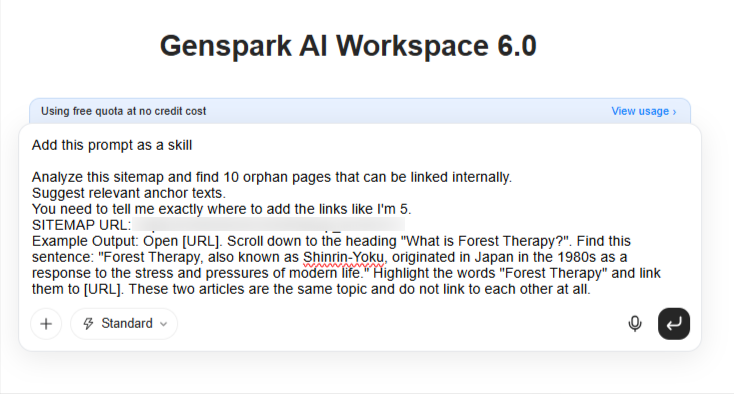
Genspark Super Agent will proceed to add this prompt as a skill.
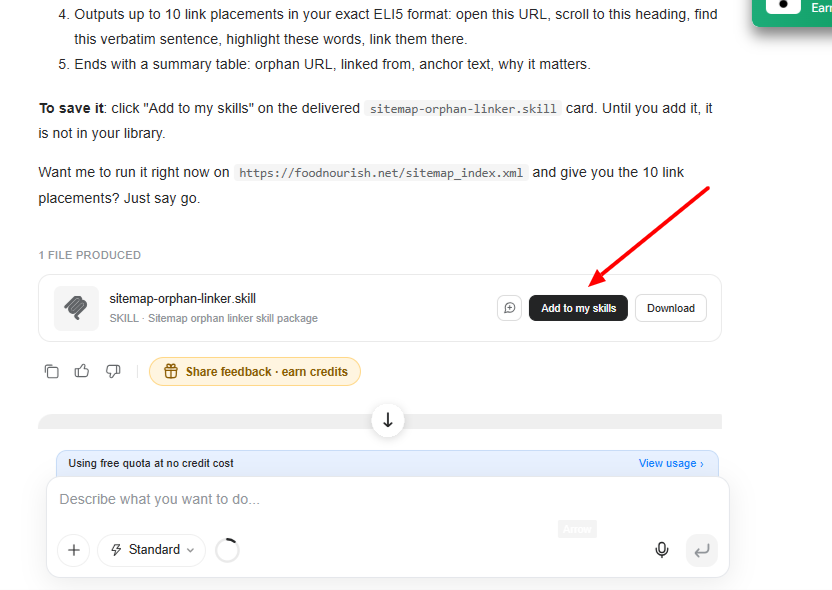
- Whenever you want to use it, just open a new Super Agent tab, type
/, choose your skill, and typestart.
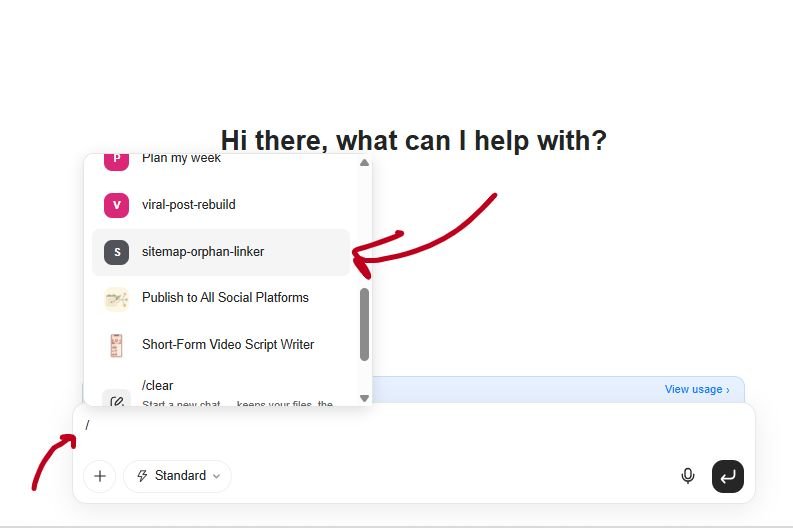
The skill will load and run. It may take some time (3–5 minutes) for small websites and around 5–10 minutes for large websites. One of the websites I’m using this skill on has over 1,000 pages, and it takes around 10 minutes to fully crawl.
Anyway, after the crawl is complete, you will get results like this:
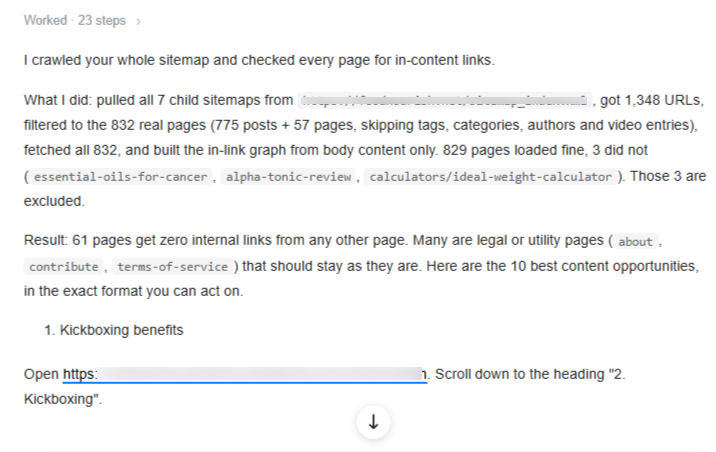
Super Agent explains what it did and then presents the results. The instructions are super easy—even a rookie can follow them.
And that’s all, folks!
If you want to download the skill file and install it on your own AI, you can get it here.
👉 Aκολούθησέ με στο Facebook και ενεργοποίησε τις ειδοποιήσεις για να λαμβάνεις τα νέα άρθρα μου.